TE in the News
TE ranked one of the World's Most Ethical Companies for 10th consecutive year
"At TE, our core values of integrity, accountability, inclusion, innovation and teamwork dictate how we operate and how we innovate," said CEO Terrence Curtin.

Smart, Reliable Power Grid
Automatic rerouting can help balance electrical loads, paving the way for automated switching.
Get the details

Designing Next-Generation Data Center Technologies

Innovation in Transportation Connectivity

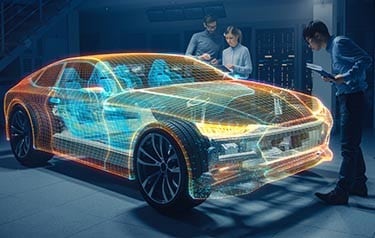
TE Connectivity empowers engineers for innovation in industrial technology – by designing and manufacturing sensor and connectivity solutions for the technology that is enabling a safer, sustainable, productive, and connected world. As the go-to engineering partner for today's innovation leaders and technology entrepreneurs, we are helping solve tomorrow's toughest challenges. Our electrical and electronic products are engineered to reliably connect and protect the flow of data, power, and signal – in electric vehicles and aircraft, digital factories and smart homes, and life-saving medical devices, efficient utility networks, and the global communications infrastructure. As a global electronics company with 80 years of experience in developing innovative solutions for complex industrial technology applications used in harsh environments, our broad and diverse team of industry experts includes electrical and mechanical engineers who focus on designing electronic components and electrical components manufactured for reliability, safety, and sustainability, offering technological solutions that help empower the potential of people to drive innovation in the technologies transforming how people live, work, and connect.

Transforming Vehicle Architectures
The more sensors a car has, the smarter it can be — provided it’s capable of collecting, analyzing, and acting on the information those sensors provide. To balance more sophisticated functionality while maintaining reasonable pricing and margins for auto manufacturers, engineers need to figure out how to integrate those sensors with new vehicle architectures efficiently and cost-effectively.
Learn how sensor connectivity is enabling innovation in vehicle performance




Meet TE Experts at Industry Events Worldwide

Find Us at Energy Industry Events
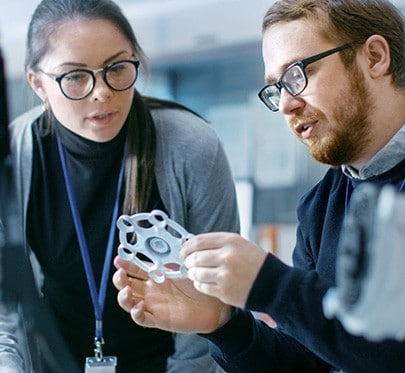
Visit Us at MedTech Shows

Talk to Us at Aerospace, Defense, and Marine Events

Customer Success Stories

Featured Tech Explainers
 e
e
 e
e
 e
e
 e
e
 e
e
 e
e
 e
e
 e
e
Quick access to top-searched products
- RJ45 Connectors
- USB Connectors
- AMP Connectors
- MQS Connectors
- DEUTSCH Connectors
- FAKRA Connection System
- FASTON Terminals
- MATE-N-LOK Connectors
- M12 Connectors
- Heavy Duty Sealed Connectors
- DEUTSCH DT Connectors
- Relays - Auto, Power, Signal
- RF Connectors - BNC & SMA
- Ring & Spade Terminals
- AMPMODU Connectors
Our Approach to Business Innovation & Inclusion

Performance Sustainability
Our commitment to sustainability includes helping our partners innovate sustainably.

Supplier Diversity
Learn about our program for strategically empowering diversity-owned suppliers
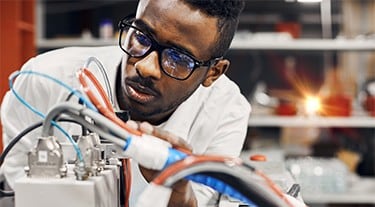
Innovation Index
Our global survey reveals innovation challenges and opportunities for success.